

Chapter 4 - Editing Basics
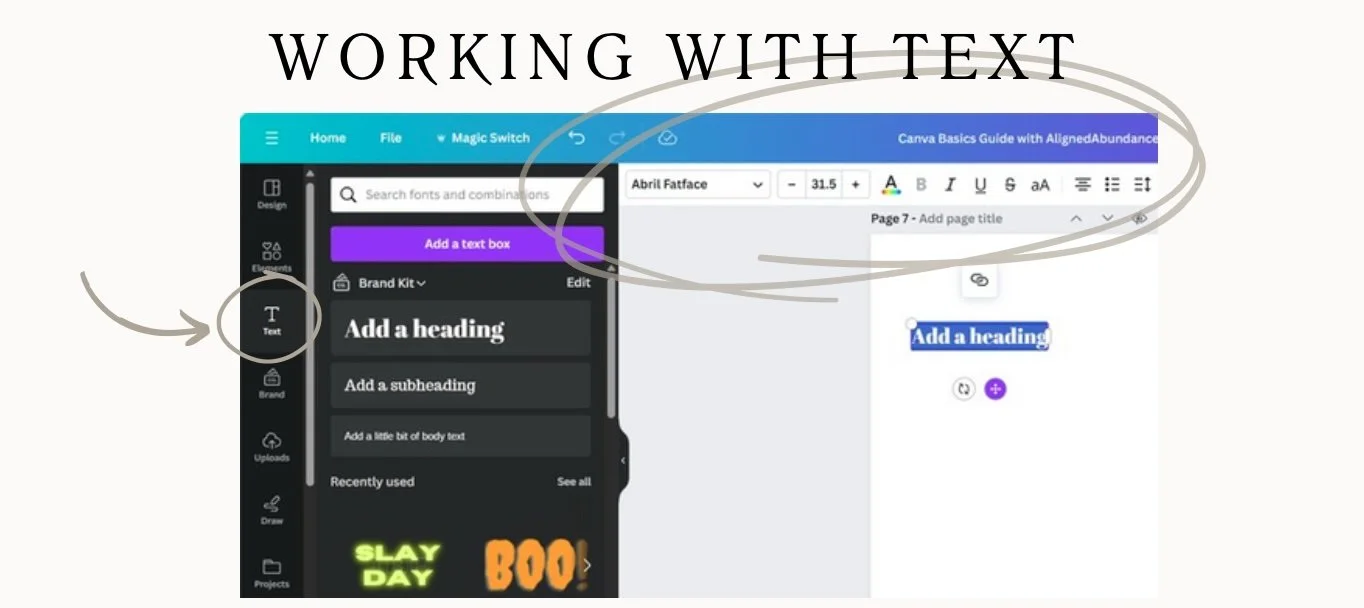
WORKING WITH TEXT
Adding text to a design is simple!
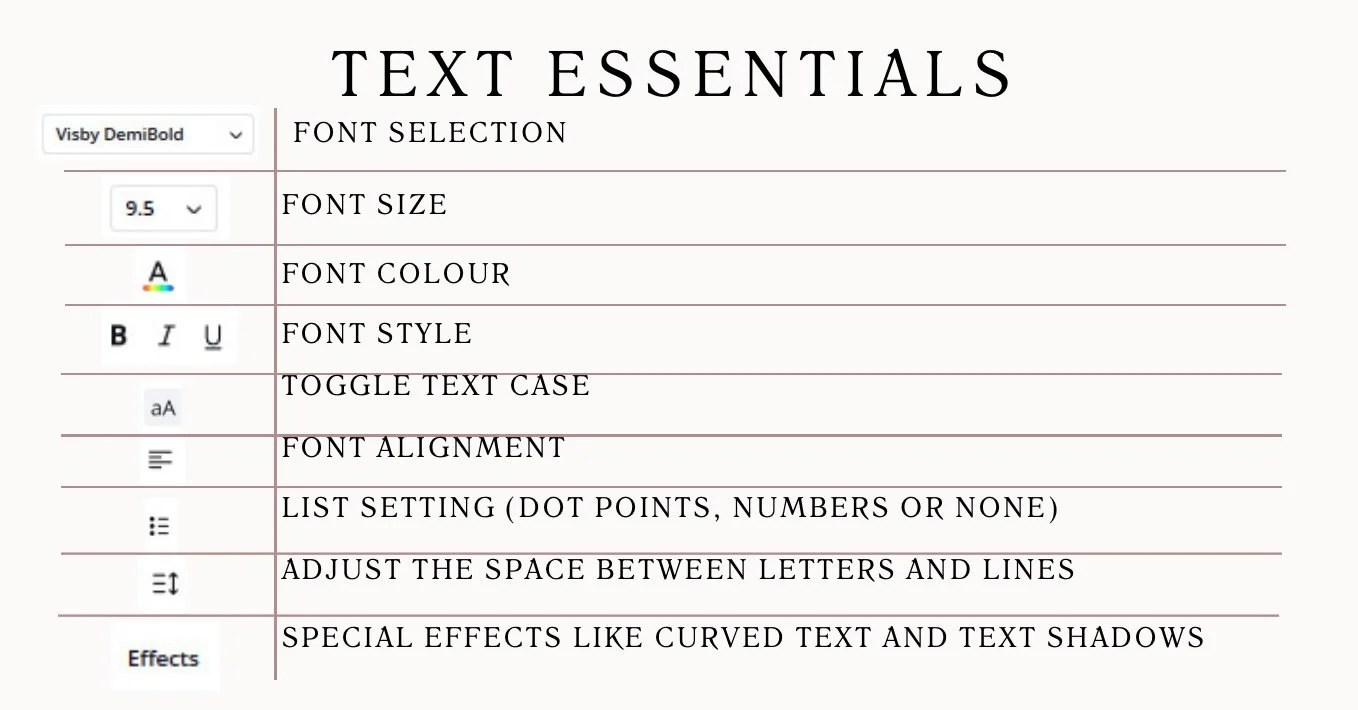
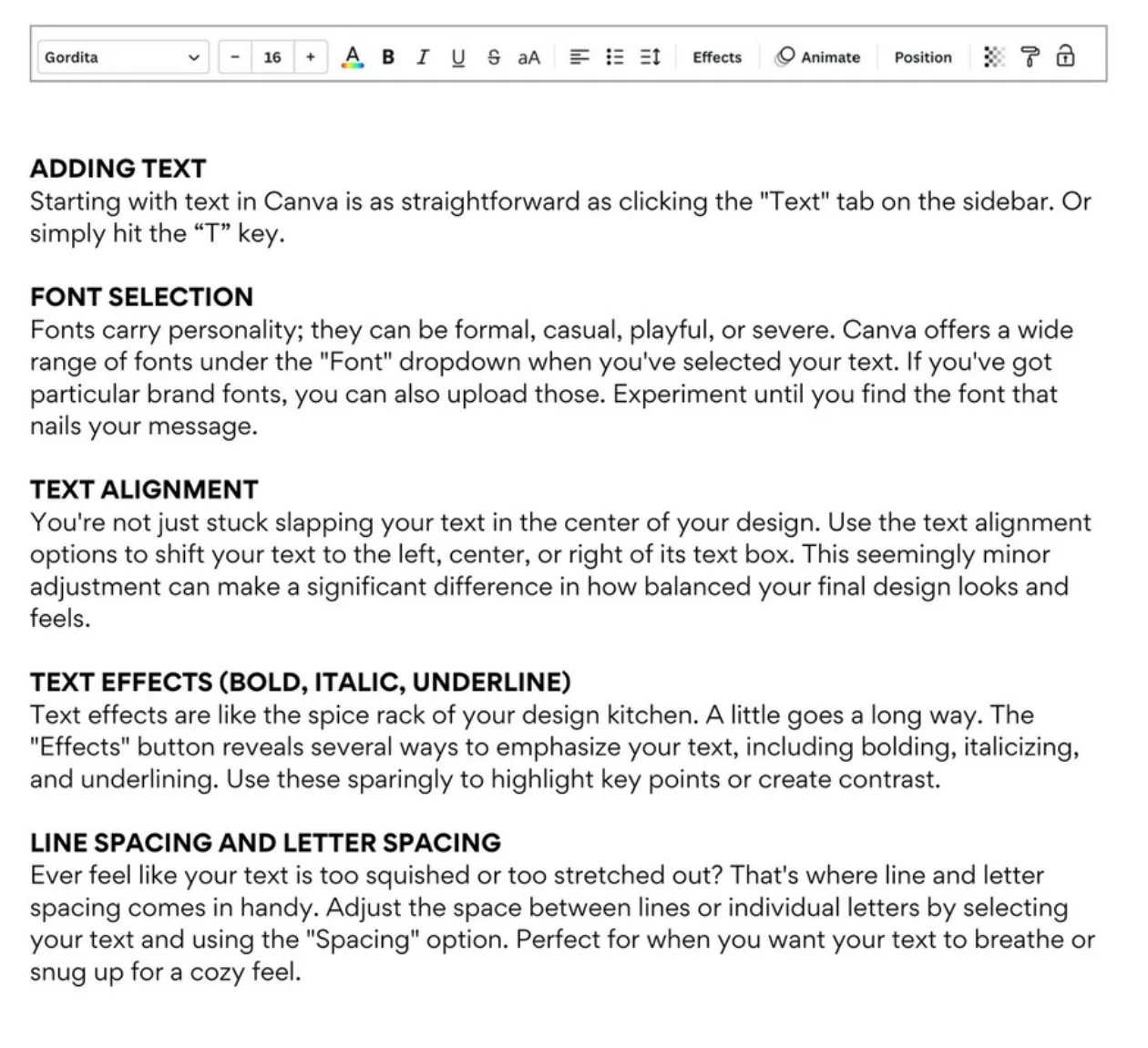
The text button in the side bar makes it easy to add a text box, heading, subheading, and body text. Just select a text option (or text box) and type away! Once you have your text written out, use the tool bar at the top of the page to select a font, size, and color. Add multiple text boxes for different font styles to create a look you love. They also offer a variety of text designs that are pre-made!
-
Personal Instagram Page: @caitlinaarmstrong
Personal TikTok Page: @caitlinaarmstrong_
The Social Voice Instagram: @socialvoice.co
Website: https://www.thesocialvoiceco.com