

Chapter 7 - Canva Effects & Advanced Editing
This effect creates layered, professional typography by placing text behind a subject using Canva’s AI background remover and layer order.
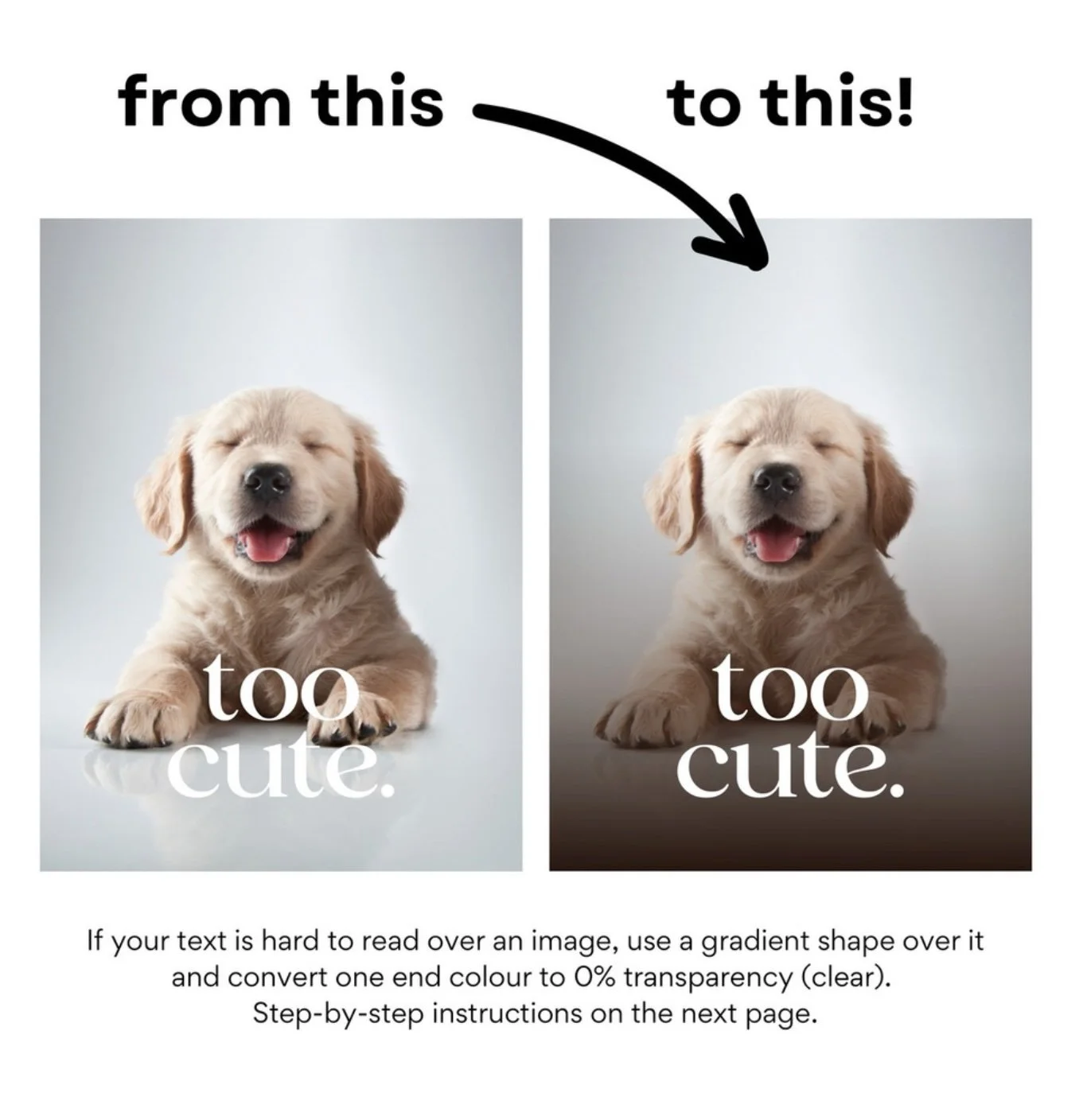
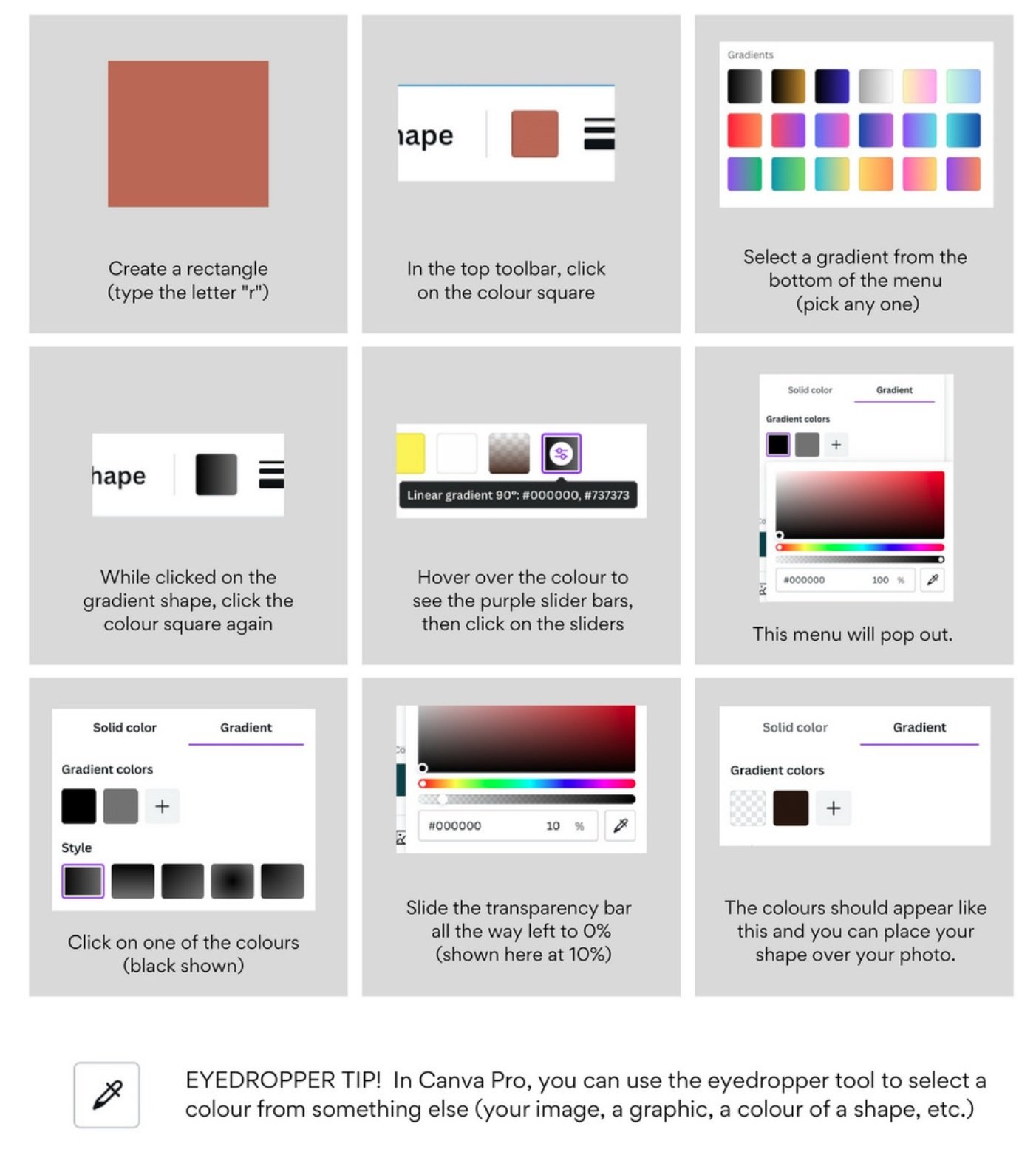
This lesson shows you how to use transparent gradients to create a smooth, aesthetic text-highlight effect that instantly elevates your design.
TRANSPARENT GRADIENT EFFECT
-
Personal Instagram Page: @caitlinaarmstrong
Personal TikTok Page: @caitlinaarmstrong_
The Social Voice Instagram: @socialvoice.co
Website: https://www.thesocialvoiceco.com